 TextMarker is a great Firefox extension. It allows you to highlight text on web pages and has 3 customizable highlighter colours. Fascinating!!
After installation, to highlight text, just select the text then right click and click on Highlight Text. If you want to remove the highlighting, then just right click on the highlighting and choose Erase this Highlighting.
To change the colour:
1- Click on Tools | Add ons [a list of extensions will open depending on how many extensions you downloaded]
2- Click on the TextMarker extension. It will give you three options: Disable, Uninstall and Options. Click on Options.
3- Choose the highlight colours that you want.
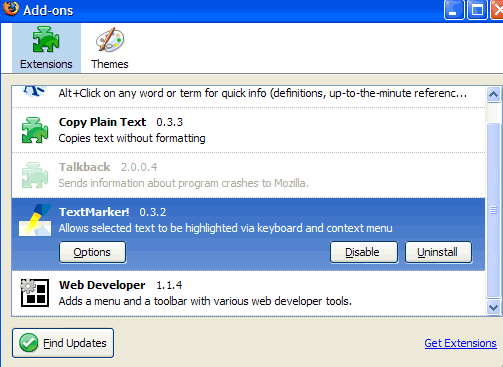
As you can see from the image, I have several extensions downloaded. The ‘copy plain text extension’ is excellent for the regular user, and the Web Developer Extension is great if you are working on CSS or Javascript etc.
 Imagine a digital page for every species on the planet. This is what this newly released digital encyclopedia aims at achieving eventually. It is called the

 Sphere is one of the new Internet gadgets that allows you to provide related links on a specific topic on your site. When a visitor moves his/her mouse over a link on your site, a widget pops open with links related to that particular topic.