Educause and NERCMP [Northeast Regional Computing Program] organized a confence in Rhode Island, March 10-12 2009 entitled Creative Intersections, Wise Collaborations, and Sustainable Technology. The conference explored how the many challenges in higher education IT form crossroads of opportunity for educators to work together across campuses, and with peers in other institutions across the country, to find sustainable solutions and best practices for today and tomorrow. Discussions revolved around teaching and learning to enterprise systems and from e-research support to IT leadership. The conference was also a great opportunity to network with peers across US campuses.
Here are the sessions I attended and some details from that conference:
I- First Session:
The Cite is Right [Dartmoth College presentation]
- Using clickers to advance student engagement.
- Challenge was to generate lively debate and accommodate resistance and overcome fear and boredom. In particular international students have a problem with citations.
- The questions were collaboratively written by the team and presented to faculty for their input.
- Questions presented situations and case studies rather than rules and regulations sent to judicial affairs at the end.
Lessons:
- facilitate with energy
- professors have to be there
- use it for multiple classes together and not just one
- generate debate
- use it sometime after each class has gotten to know each other [this creates classroom cohesion]
- give out prizes [gift certificates etc]
- manage contestants
II- Second Session [2-2.50 pm]Room 553
Web 2.0 Information Literacy: Wikis for Engaged Learning: using online collaboration to investigate cases and build knowledge
Presenter: Jay Fogleman, URI and Mona Anne Niedbala
How do educators capitalize on students’ comfort with ubiquitous online tools to leverage critical thinking and strengthen their information literacy skills?
Using wikis for research, collaboration, critical thinking and knowledge building.
Babson college presentation
- use it as content repositories.
- An evolving set of teaching notes for faculty using the case in the future.
- Quick access to supplemental material
- ability to include multimedia elements
- give students exposure to tools being used out there [web 2.0 tools]
Used Confluence as wiki platform.
III- Third Session: 3-3.50 pm – Room 551
Twitterpated by Twitter and Other web 2.0 technologies for instructional purposes
presenter: Alexandra Pickett – SUNY
How available technologies like Twitter were used in a summer online course and can be used to enhance instruction.
Map of the world 2.0
To be more effective
Her best tools: seesmic, jing, youtube quickcapture, diigo, polldaddy, mogulus
IV- Fourth Session: 4.35-5.25 – Room 551
The mapping controversies web directory: harnessing students’ collective intelligence
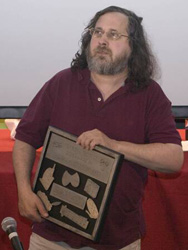 I took several of my WDIM students from my GNU/Linux class to attend Stallman’s Libre Planet, a conference organized at the Harvard Science Center by the Free Software Foundation on March 21-22. In addition to presentations from FSF staff and board members the event included a full “unconference” day of work oriented toward progressing free network services and other areas important to the free software community as outlined on the FSF’s High Priority Projects list.
 The first is
  The second is